Templates

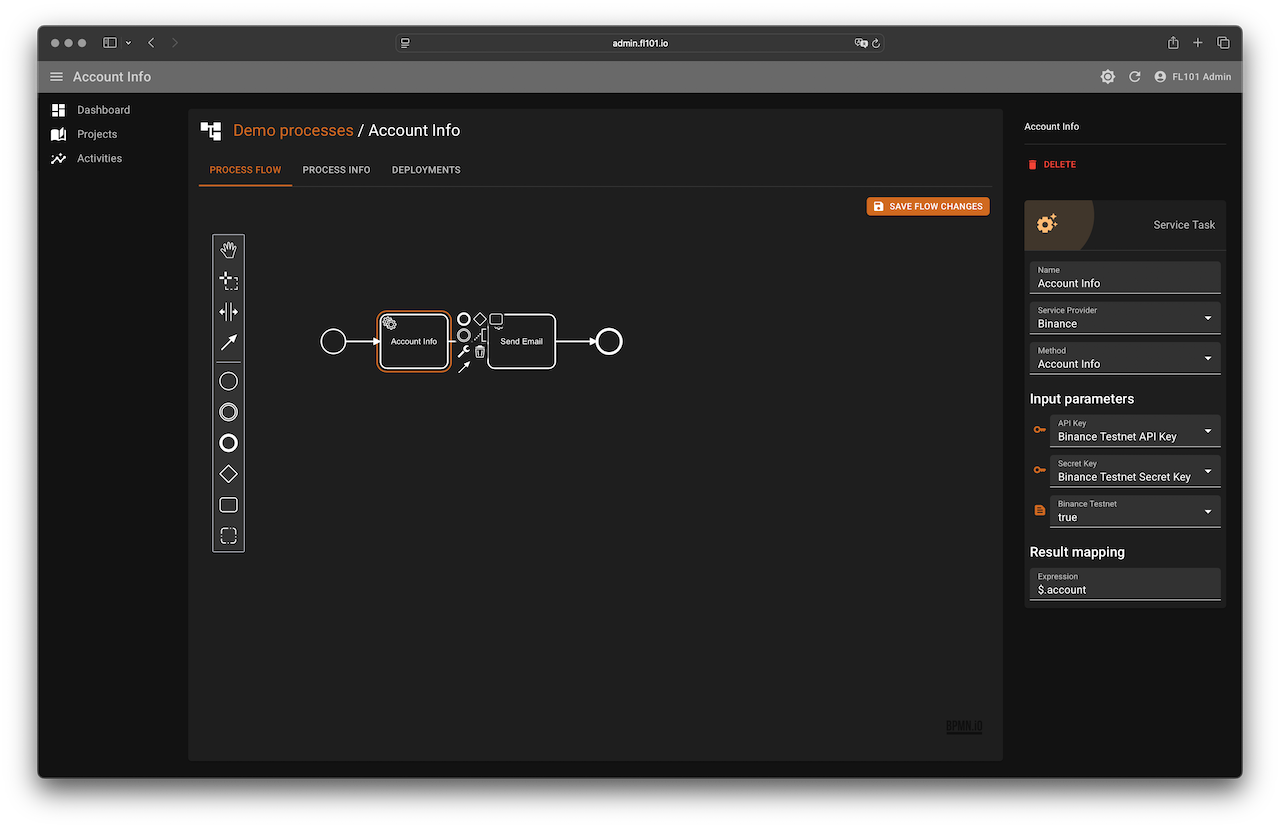
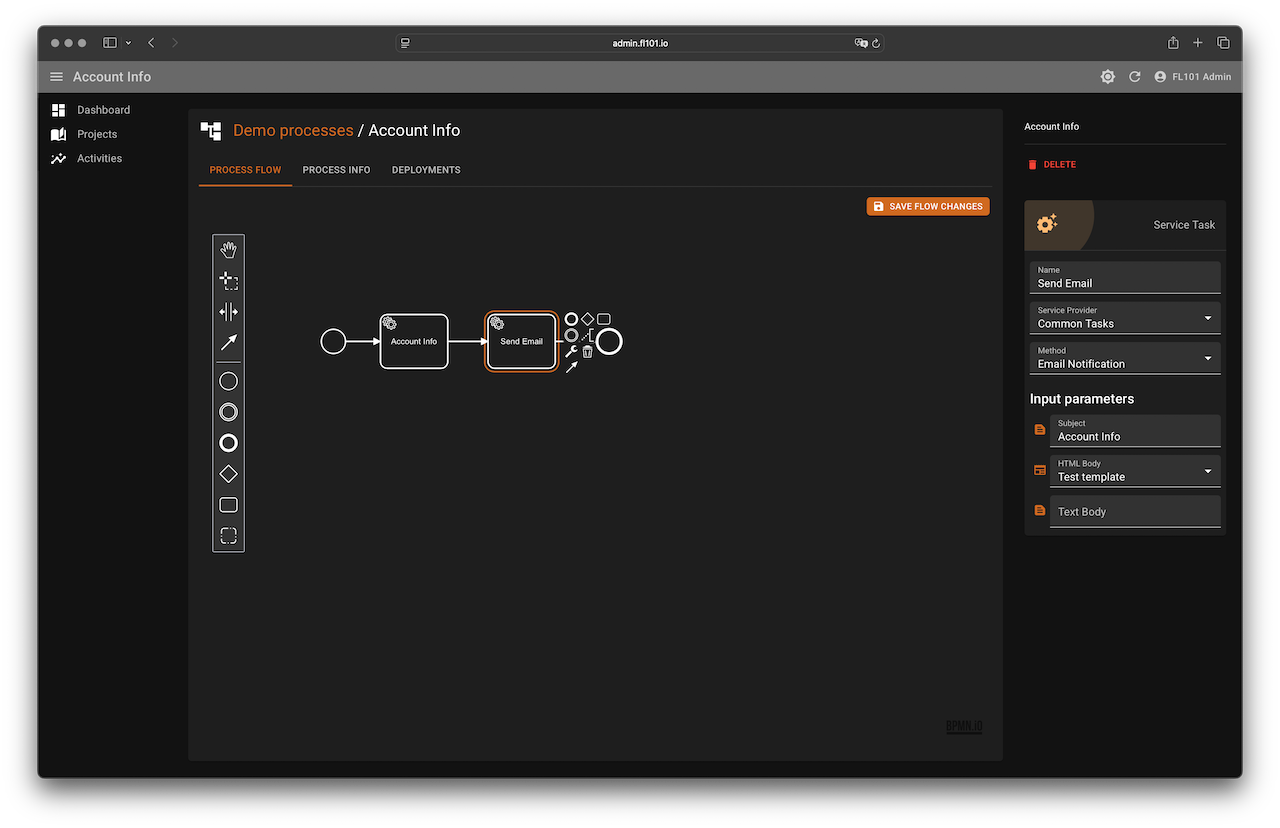
Templates let you create dynamic content for emails, notifications, and prompts using data from the Execution State. They follow a logic-less design: no if statements, no loops, just tags. These tags are interpreted at runtime using mappings you define.
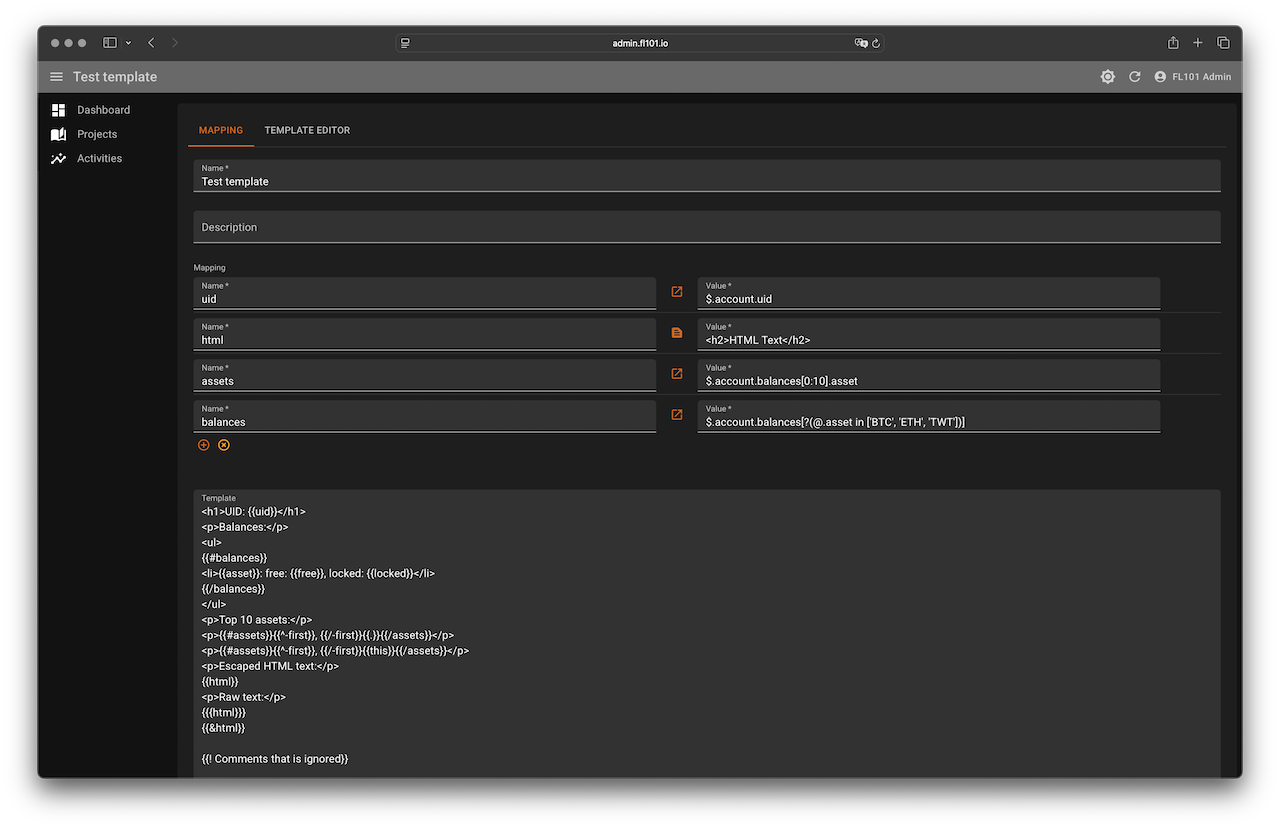
Each template has a mapping section, where you assign keys to either static values or JSON Path expressions. When a template is rendered, each tag is replaced with its corresponding value from the Execution State.
Tag Syntax
Tags are wrapped in double curly braces. For example:
{{name}}is a variable tag{{#person}}...{{/person}}is a section tag
Let’s explore the key types:
Variables
{{name}} inserts the value of name from the current context.
- If not found, parent contexts are searched.
- If still not found, nothing is rendered.
- By default, values are HTML-escaped.
- Use
{{{name}}}or{{& name}}to output raw content.
Dotted Names
Use dotted notation to access nested properties: {{user.name}} will look for user, then name inside user.
Implicit Iterator
Use {{.}} or {{this}} to reference the current context directly. This is handy when looping over arrays.
Sections
Sections render blocks conditionally or repeatedly based on the context:
- Start with
{{#key}}, end with{{/key}} - If
keyis false or an empty list, the section is skipped. - If
keyis a non-empty list, the section repeats for each item.
Inverted Sections
Start with {{^key}} and end with {{/key}}. These render if the key is false, missing, or an empty list.
Comments
Tags starting with ! are ignored: {{! this is a comment }}
Special Tags
-first:truewhen processing the first item in a list-last:truefor the last item-index: Numbered position (starting at 1). Returns0outside of lists or when rendering a singleton.
Partials (Sub-Templates)
Partials allow you to reuse common template fragments by referencing them from other templates. To use a partial, define a template with a Partial Name, which acts as its identifier. You can then include it in another template using the syntax {{>partial_name}}.
Partial templates share the same context data as the template that calls them. This means they can access the same variables and structures without requiring additional mappings.
For security and isolation, partials are only accessible within the same project. Each project has its own private set of templates and partials, ensuring that sub-templates cannot be reused or referenced across projects.
To prevent infinite recursion, the system automatically detects circular references and limits the nesting depth to a maximum of 10 levels. If this limit is exceeded, the rendering will be halted to ensure stability.
Partials are ideal for organizing large templates, promoting reuse, and maintaining consistency across email layouts, lists, and structured output.
Example Template
Mapping:
- uid: JSON Path: $.account.uid
- html: Static value: <h2>HTML Text</h2>
- assets: JSON Path: $.account.balances[0:10].asset
- balances: JSON Path: $.account.balances[?(@.asset in ['BTC', 'ETH', 'TWT'])]
Template:
<h1>UID: {{uid}}</h1>
<p>Balances:</p>
<ul>
{{#balances}}
  <li>{{asset}}: free: {{free}}, locked: {{locked}}</li>
{{/balances}}
</ul>

<p>Top 10 assets:</p>
<p>{{#assets}}{{^-first}}, {{/-first}}{{.}}{{/assets}}</p>

<p>Escaped HTML text:</p>
{{html}}

<p>Raw HTML text:</p>
{{{html}}}
{{&html}}

{{! This is a comment and won't be rendered }}
Template:
<h1>UID: 1746510607269577800</h1>
<p>Balances:</p>
<ul>
<li>ETH: free: 1.0, locked: 0.0</li>
<li>BTC: free: 1.0, locked: 0.0</li>
<li>TWT: free: 606.0, locked: 0.0</li>
</ul>
<p>Top 10 assets:</p>
<p>ETH, BTC, LTC, BNB, USDT, TRX, XRP, NEO, QTUM, GAS</p>
<p>Escaped HTML text:</p>
<h2>HTML Text</h2>
<p>Raw HTML text:</p>
<h2>HTML Text</h2>
<h2>HTML Text</h2>
Templates allow you to create flexible and secure messages powered by live data, without writing code. Whether you’re generating reports, crafting alerts, or sending dynamic emails, this feature gives you full control over content structure and presentation.
Screenshots